
DIY Document in MS Word: A Handbook For Academics
The Ultimate Online Guide to Flawless Academic Formatting in MS Word for PhD dissertations, Master’s theses, academic research articles, and institutional reports.
Get in touch: info@diydocument.co.za
Formatting a Masterpiece Shouldn’t Take a PhD.
You have spent months – potentially years – conducting groundbreaking research, analysing data, and refining your arguments. Your mind should be entirely focused on the substance of your research or publication. Instead, you find yourself locked in a frustrating battle with Microsoft Word, trying to force rigid institutional formatting guidelines onto a dynamic, complex document.
A single misplaced section break can throw off your page numbering, scramble your running headers, or detach your image captions. Universities and academic journals enforce stringent styling rules, and having your layout rejected because of margins, font discrepancies, or a broken Table of Contents is an exhausting bottleneck you simply don’t have time for.
That is exactly why DIY Document in MS Word was created. This comprehensive online handbook serves as your digital companion, providing easy-to-follow, step-by-step guidelines specifically designed for PhD dissertations, Master’s theses, research articles, and administrative reports. It strips away the guesswork, transforming MS Word from an unpredictable hurdle into a structured, reliable tool.
Inside our interactive online reading room, clear step-by-step screenshots map out every format and layout setting you need. By following these visual guidelines side-by-side with your working document, you will save weeks of formatting frustration and ensure your final work looks as sophisticated as the research within it.
Stop Fighting Microsoft Word. Protect Your Research and Submit with Confidence.
Gain instant access to the private digital reading room. Follow the proven visual guidelines alongside your document to eliminate formatting issues, reduce time spent on corrections during editing, and significantly lower the risk of costly revision cycles that can exceed R20,000.
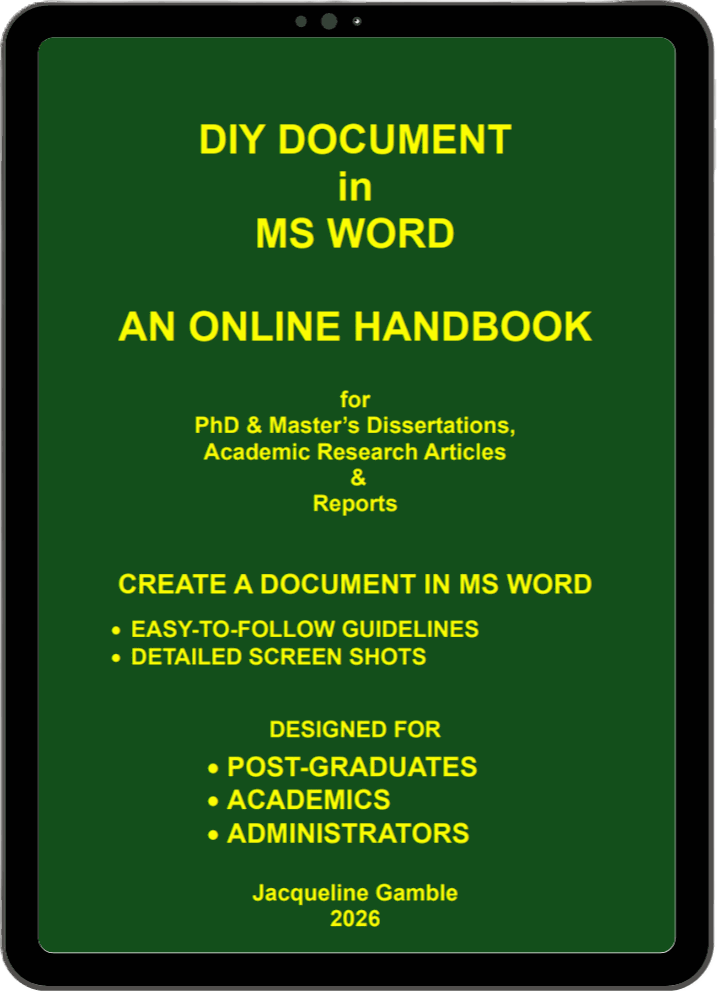
Inside the Handbook:
Practical, Visual Solutions
Navigating the technical layout requirements of a major academic paper can feel like decoding a second language. This handbook doesn’t just discuss formatting theory; it actively guides your hands across the keyboard. Every module is structured chronologically, matching the exact lifecycle of a dissertation or research article build from the initial page setup to the final attachment of Appendices.
Instead of forcing you to read through dense walls of technical jargon, the handbook uses a highly visual, problem-solving approach. If your running headers are leaking into the wrong sections, or your automated list of figures is breaking, you can quickly jump straight to the dedicated troubleshooting modules to find instant, visual answers.
By standardising your workspace inside Microsoft Word from day one, you eliminate the compounding layout errors that usually crash a document right before submission. This guide establishes a clean, systematic workflow that protects your file stability, ensures cross-platform compatibility, and keeps your document perfectly organised.
How It Works
Secure Checkout
Click any “Get Access” button on this page. You will be guided to our secure checkout page powered by PayFast. During checkout, you will quickly create your personal account password.
Instant Activation
As soon as your payment is successful, our system instantly creates your user profile and unlocks your access. No waiting for shipping, no files to get lost in your downloads folder.
Enter the Reading Room
Log in anytime from your laptop, tablet, or desktop to enter the secure Online Reading Room. Read, search, and follow the detailed screenshots side-by-side with your open MS Word document.
Meet the Author: A Decade and a Half of Academic Precision
Jacqueline Gamble brings over 15 years of specialised experience as an academic editor, guiding countless PhD dissertations, Master’s theses, and professional research articles toward successful university submission and publication in international peer-reviewed journals.
Holding a Master’s degree in Clinical Psychology and a major in English from the University of Cape Town (UCT), she combines a deep understanding of complex research methodologies with a sharp, uncompromising eye for linguistic and structural precision from her base in the Western Cape, South Africa.
After years of seeing brilliant research bottlenecked by the technical frustrations of document formatting, Jacqueline realised academics needed a better solution.
This handbook is the direct result – a user-friendly, step-by-step companion that provides absolute layout clarity and practical guidance from your very first page setup to the final, polished document

Jacqueline Gamble
Academic Editor and Specialist
15 years of expertise
Fifteen years of specialised academic editing, guiding postgraduates and career researchers through strict university and international journal formatting guidelines.
35+ International Manuscripts
Dozens of academic papers and peer-reviewed articles she has refined have successfully cleared review and achieved publication in local and international journals.
Multiple Leading Universities
Deeply rooted in supporting candidates and faculty from premier institutions, including UCT, Stellenbosch University, and top UK universities.
Save weeks of formatting frustration for less than the cost of a single hour of professional editing.
For a simple one-time purchase, gain complete access to the digital handbook and reduce formatting issues that add time and cost during editing.
R365

DIY Document in MS Word
Popular questions
Have a few technical or logistical questions before you begin? Find quick, direct answers regarding access, platform compatibility, and institutional styling guidelines below.